iOS 27 is going to be the next major software update from Apple. We've been hearing about some of the upgrades it will ship with from various sources lately. A latest finding now sheds light on four upcoming features.
Visual Intelligence upgrades coming with iOS 27
The iOS 27 update is reportedly set to introduce two new capabilities to iPhone's Visual Intelligence. Both upgrades were discovered by reputable tipster Nicolás Alvarez in the backend code.
Recommended For You
The first upgrade that's going to come is the ability to scan the nutrition label that you often find on the back of packaged food and learn more about its nutritional value. It is further reported that this capability could also be integrated into the Apple Health app. I believe this feature would be especially helpful for individuals who prioritize fitness and track their daily intake of protein, fats, carbohydrates, and other important nutrients.
Recommended For You
The possibility of this particular upgrade coming to iOS 27 seems very high, as Mark Gurman also mentioned it in one of his recently released newsletters. The addition of this feature would mean the Apple Health app would challenge some other third-party apps like MyFitnessPal and, to some extent, Noom.
Another capability that Visual Intelligence is reported to have is the option to scan and add new mobile numbers, people, and addresses to the iPhone Contacts app. This feature might sound familiar to you, as you can currently perform the same action in the Calendar app. For reference, if you scan an image like a flight ticket using an iPhone with Visual Intelligence (such as the iPhone 16), you'll get an option to add that date to the Calendar.
The new feature will most likely work similarly - when you scan an image that contains a phone number, for instance, you will most likely see the option to save it in the Contacts app. This will mainly save you from the work of typing in and saving the number manually.
A new feature is coming to Safari
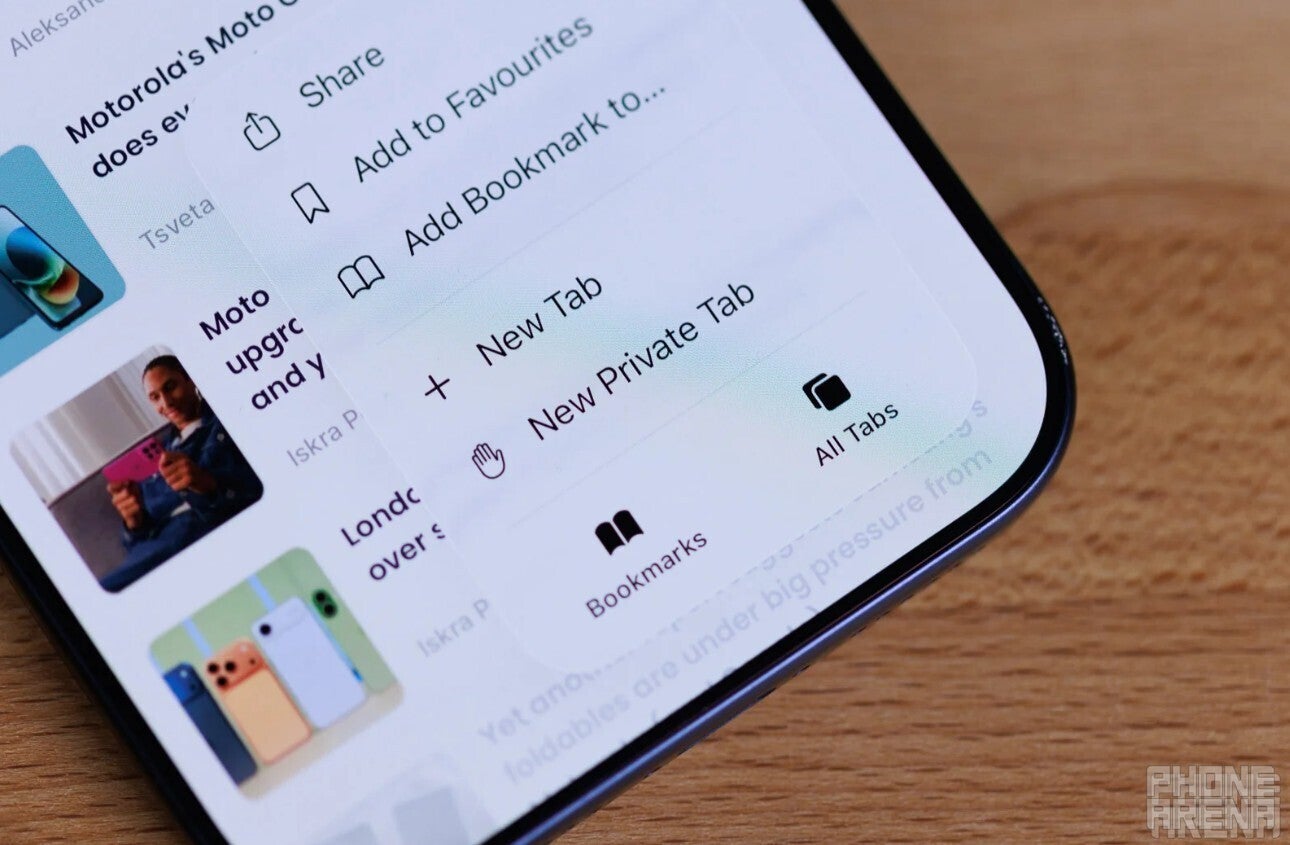
Tabs icon in Safari browser. | Image by PhoneArena
Most browsers, including Safari, give you the option to create tab groups. You can give a name to the group of your tabs to better identify them. With iOS 27, Safari is getting a small but important AI-powered upgrade.
Basically, Safari will intelligently understand the content of the tabs within a group and give a name to the group automatically. So, for instance, if you have multiple tabs related to sports content opened within a group, I believe that it will name this group something like "Sports Group."
What's one upgrade you really want in iOS 27?
Apple Wallet is getting an upgrade too
Apple Wallet is also reported to be getting an important update with the upcoming iOS build. The code discovered by Nicolás suggests that the app will allow users to convert physical passes into digital passes.
For instance, if you have a physical gym membership card or concert ticket, you will be able to scan it and convert it into a digital pass for Apple Wallet. Apple is pretty late in introducing this capability, as Google introduced something similar for its Wallet app back in 2024. There are definitely apps like Wallet Creator that can fulfill this function to some extent, but I always wanted it to be available on Apple's Wallet.
iOS 27 looks promising
Everything that has surfaced online about iOS 27 gives such a strong indication that it will be an important update from Apple. For instance, Gurman reports that the upcoming software build will give you the option to adjust the level of glass effect you want on your device. The update is also reported to introduce the ability to integrate third-party chatbots with Siri.
While all these features seem certain to come, we have also created a list of capabilities that we would definitely like the tech giant to introduce with iOS 27. That said, the new iOS version will be unveiled at WWDC 2026, which is scheduled to kick off on June 8. It will become available for public use with the iPhone 18 series release, which could happen sometime in September.
Aman Kumar is a tech news writer with a long-standing passion for smartphones. Aman specializes in everything smartphones, from AI features like Pixel’s Camera Coach to understanding ideal hardware combinations. He loves breaking down complex features in a simple, clear way and hopes manufacturers bring back bold designs like the Nokia N-Gage. When he’s not writing, he’s either gaming on PUBG or talking fitness as a dedicated gym enthusiast.
A discussion is a place, where people can voice their opinion, no matter if it
is positive, neutral or negative. However, when posting, one must stay true to the topic, and not just share some
random thoughts, which are not directly related to the matter.
Things that are NOT allowed:
Off-topic talk - you must stick to the subject of discussion
Offensive, hate speech - if you want to say something, say it politely
Spam/Advertisements - these posts are deleted
Multiple accounts - one person can have only one account
Impersonations and offensive nicknames - these accounts get banned
To help keep our community safe and free from spam, we apply temporary limits to newly created accounts:
New accounts created within the last 24 hours may experience restrictions on how frequently they can
post or comment.
These limits are in place as a precaution and will automatically lift.
Moderation is done by humans. We try to be as objective as possible and moderate with zero bias. If you think a
post should be moderated - please, report it.
Have a question about the rules or why you have been moderated/limited/banned? Please,
contact us.














Things that are NOT allowed:
To help keep our community safe and free from spam, we apply temporary limits to newly created accounts: