HTC One max Review

Introduction
In the box:
- Wall charger
- Micro USB cable
- Wired in-ear headphones with microphone
- Extra headphone tips
- Quick start guide
Design
Clearly, the HTC One max is not a phone built with the mainstream consumer in mind. It is for those who just don't find the display on any flagship device large enough for their needs. HTC has chosen to outfit the One max with a gargantuan, 5.9-inch touchscreen, occupying most of its front side. As a result, the One max looks and feels a lot more like a small-sized tablet, rather than a smartphone, which makes it highly suitable for web browsing, watching videos, or playing games. On the downside, the HTC One max is simply humongous. It is not only impossible to operate single-handedly, but also difficult to tuck even into a large pocket, so carrying it around might be an issue.
Yet some things have changed and must be highlighted. For starters, the HTC One max can have its storage space expanded with the use of a microSD card – a welcome feature not present on the HTC One. The microSD card slot is located underneath the back cover, which is now removable, providing access to the micro SIM card as well. The battery, however, is off limits and cannot be swapped by the user. You might have also noticed that three terminals are found on the smartphone's back, near the bottom. These are used for connecting the smartphone to the Power Flip case – an official HTC accessory with a built-in rechargeable battery. But the most unusual perk you get with the HTC One max is, without a doubt, the fingerprint scanner, located below the camera. More on it in a couple of paragraphs.
We're glad to see that HTC has done the right thing by placing the max's power button on the side, where it is easy to reach. On the other hand, the volume keys are located a bit further from the user's fingers, which renders them a bit trickier to operate. Below the display we find just two capacitive keys, used for the “back” and “home” functions.

6.48 x 3.25 x 0.41 inches
164.5 x 82.5 x 10.29 mm
7.65 oz (217 g)

5.95 x 3.12 x 0.33 inches
151.2 x 79.2 x 8.3 mm
5.93 oz (168 g)

7.06 x 3.63 x 0.26 inches
179.4 x 92.2 x 6.5 mm
7.48 oz (212 g)

5.45 x 2.79 x 0.35 inches
138.5 x 70.9 x 8.9 mm
5.04 oz (143 g)

6.48 x 3.25 x 0.41 inches
164.5 x 82.5 x 10.29 mm
7.65 oz (217 g)

5.95 x 3.12 x 0.33 inches
151.2 x 79.2 x 8.3 mm
5.93 oz (168 g)

7.06 x 3.63 x 0.26 inches
179.4 x 92.2 x 6.5 mm
7.48 oz (212 g)

5.45 x 2.79 x 0.35 inches
138.5 x 70.9 x 8.9 mm
5.04 oz (143 g)
Compare these and other phones using our Size Comparison tool.
Fingerprint Scanner

One of the several things that bother us is the sensor's awkward placement. It is on the back side of the smartphone, right under the camera, and since we don't see it when we try to use it, we often find ourselves swiping the camera lens instead of the scanner. Speaking of swiping, that's how fingerprints are being read by the device, which is unfortunate as this gesture isn't the easiest thing to perform on a smartphone of this size. Why HTC couldn't go with a fingerprint sensor that doesn't require swiping (you know, like the one on the iPhone 5s) is beyond us. Then there's the software integration, or lack of it, to be more specific. It would have been nice if we could authorize Play Store purchases using a fingerprint, yet sadly, the software does not allow that. As for the option to have apps launched depending on which finger is scanned, this feature is pretty much pointless since it works only on the lock screen, and using a lock screen shortcut is both faster and more convenient. So all in all, the fingerprint scanner on the HTC One max is nothing but a gimmick that we don't see ourselves using on a daily basis.
Display

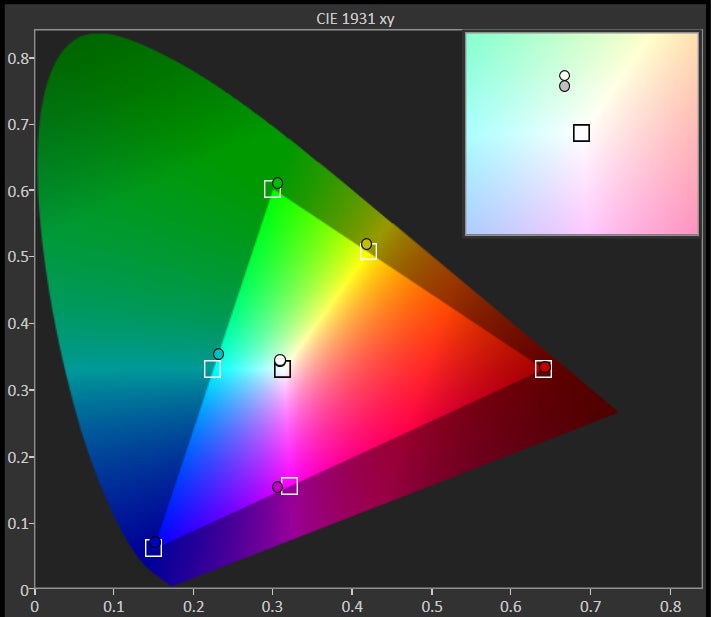
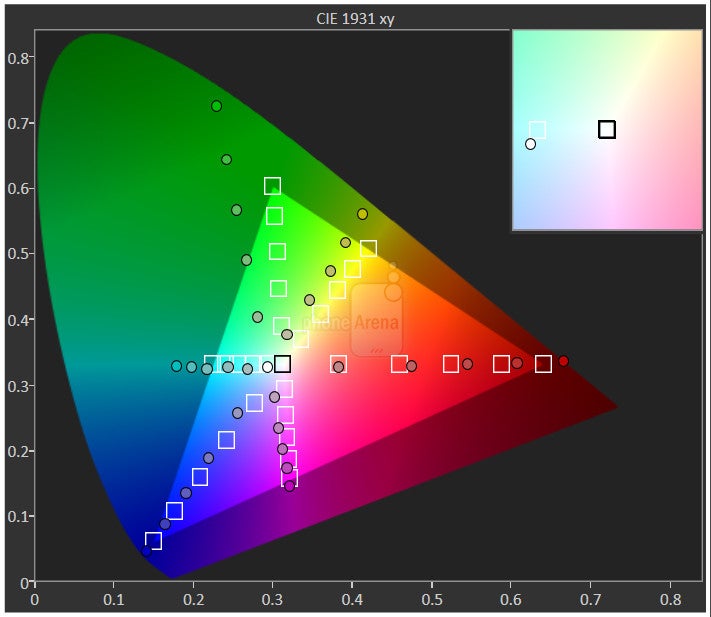
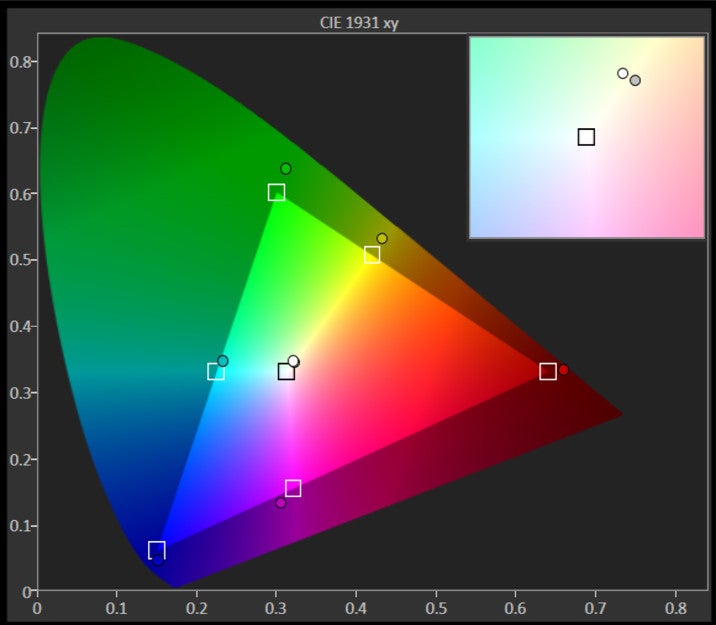
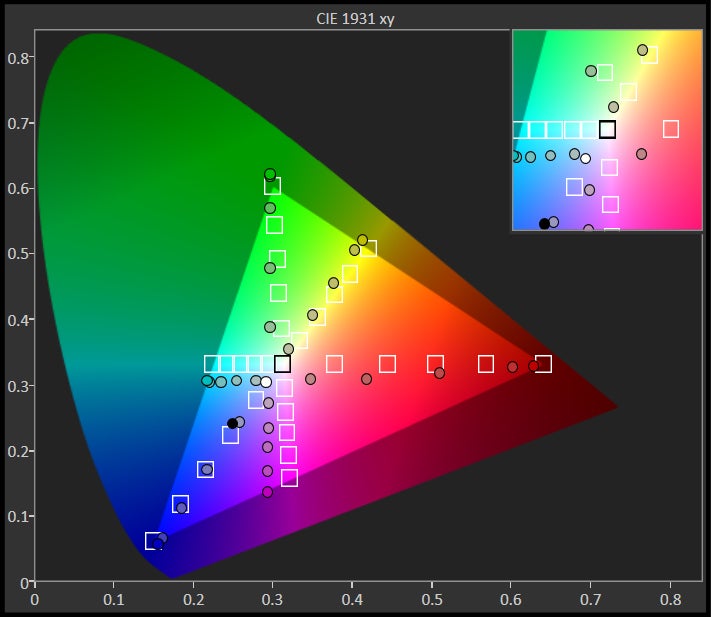
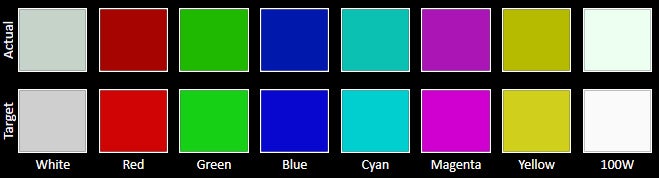
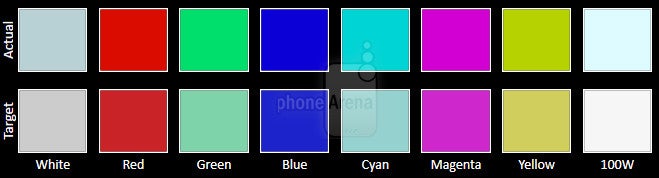
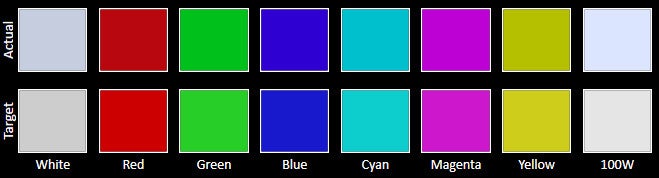
With its peak screen brightness of 480 nits, the HTC One max can be used outdoors without much effort. Its low reflectance helps as well since only a fraction of the sun's light bounces back from its surface.





Interface
Naturally, BlinkFeed in its newest, most refined form is present in Sense 5.5. For those who aren't familiar with it, BlinkFeed a feature that HTC introduced with the One. Think of it as a news feed aggregator that occupies an entire home screen, putting together stories from hundreds of online sources, as well as from social networks that the user is logged into. On the One max, the number of sources where BlinkFeed pulls news from has been increased. It now works with Google+ and Instagram as well. Up to 120 stories can be saved offline and be read at a later time in case the user isn't connected to the internet. All in all, BlinkFeed is a unique service that gives quick, instant access to up-to-date information. Those who feel like they don't need it, however, are free to turn it off.
Processor and memory
HTC has chosen to stick with the Snapdragon 600 SoC for the One max even though the faster Snapdragon 800 chip is already being used in a number of phones. That gets you a 1.7GHz quad-core Krait 300 CPU with Adreno 320 GPU, backed by 2GB of RAM. In comparison, the 800 model has a better CPU, better GPU, and can be clocked much higher. Deal breaker? Well, not really since the smartphone's performance is top notch. The user interface responds instantly to our input and runs swiftly, without any lag. Games are also handled well, with even the newest 3D titles running at high frame rates. The only downside to having a Snapdragon 600 in the One max is that the smartphone can't be considered as future-proof as many of its rivals.
Dialer and messaging
There's nothing radical about the dialer application on the HTC One max. Accessible from the home screen or via the lock screen shortcut, it puts the call log, the contacts list, and the dial pad under one roof, along with tabs for the user's favorite contacts and groups. It is cool that tabs can be rearranged to the user's liking and that scrolling with 2 fingers allows us to rapidly flick through the contacts list.
Thanks to its size, the on-screen keyboard is quite comfortable for two-thumb typing in portrait mode. We find it uncomfortable to use in landscape orientation, however, as the handset itself is too wide for our fingers to effectively reach the buttons in the middle. Single-handed typing is out of the question since the phone's proportions and lack of appropriate keyboard layouts make that impossible.
Software
The HTC One max comes with a car mode interface, which provides quick access to features you might need while driving – navigation, voice command, media playback, and the likes. The UI's buttons are huge and easy to press while behind the wheel. Not that you should be using your phone while driving, that is.
Scribble is another application pre-loaded on the HTC One max. Think of it as an advanced notepad of sorts, where text, photos, and clip art can be combined in a single document. Inserting photos can be a bit glitchy, but as a whole, the app is usable.
Internet and connectivity
Browsing the internet on a screen so large and detailed is a pleasure. What's more, the stock web browser loads pages quickly and has the option to hide the status bar for a true full-screen browsing experience. However, there are a few things about the app that can be a bit annoying. One of them is that text is not inflated automatically, meaning that we still have to zoom in on paragraphs of text in order to read anything. Also, we appreciate HTC adding support for Adobe Flash in its browser app, but it didn't work properly on all pages we tested. Embedded YouTube videos, in particular, do not work in all pages.
Camera
Launching the camera app brings us to a familiar from the HTC One screen with separate shutters for photos and video situated conveniently on the right. The settings menu, however, hasn't been organized in the best way possible. You see, all the modes and adjustments are placed in a single menu list with sub-menus, and because of that, finding the setting you need takes longer than it should.
Image quality is satisfactory despite the sensor's low resolution, yet below what one would expect from a smartphone of this class. Photos are often underexposed, with average details and visible digital noise even in well-lit scenes. However, one can achieve better results by tapping on the subject being photographed – that is what sets the exposure and focus right. Color representation is very accurate and we don't see the typical for smartphone cameras excessive color saturation boost. Indoor photos are a different story. They look fine as long as there's enough light provided, but even the slightest tremble of your hand is enough to add noticeable motion blur to the image. In darker scenes, colors are pretty lifeless and the digital noise spoils the whole shot. The LED flash comes in handy when a light boost is needed. If set to auto, however, it goes off only when the lighting is really poor, ignoring many low-light scenes where it would have helped as well. We weren't impressed with the HDR mode either – images turned out a bit too bright than they should be.
HTC One max Sample Images
Video quality is, again, of average quality. It is smooth, we can't deny that, but we were expecting to see more detail present in the One max's 1080p videos. As the case is with still photographs, footage may turn out a tad darker than it should be due to underexposure. Continuous auto-focus is disabled by default for some reason. When enabled, the camera has a hard time keeping the focus where it should be, as you can see from our sample video below.
As for the front-facing camera on the HTC One max, it is pretty good, actually, be it for self-portraits or for video chats. It has a resolution of 2.1 megapixels and a wide, 88-degree viewing angle, so one can fit easily in the frame, along with a few buddies.
Multimedia
Since the HTC One max is supposed to be an outstanding multimedia device, we find the lack of a dedicated video player simply ridiculous. Instead, movies are played from the gallery, which would have been fine if the app didn't list files by date. In other words, video files are scattered all over the place instead of being neatly sorted in a dedicated list. Video playback is smooth and most of the popular file formats are supported. DivX is an exception, but third-party video players are able to rectify this.
The HTC One max is one of the very few smartphones that come with an infrared blaster. With the help of a pre-loaded app, it transforms the handset into a remote control for your TV, home theater system, and set-top box. What's even cooler, that same application has a built-in TV guide so you can easily see what's being broadcast; if you pick a show, the app will switch over to the channel it is on. Note that this service doesn't work in all countries and with all service providers.
Call Quality
Battery Life
One of the benefits of having a large phone is that there's plenty of space for a massive battery to be tucked inside. That's also the case with the HTC One max. It comes with a 3300mAh battery cell, which is rated for 25 hours of continuous talk time on 3G. Stand-by time is quoted as a bit over 24 days. Our own custom battery benchmark required 7 hours and 27 minutes to drain the One max's battery completely out of juice,which is a great result, surpassing rivals like the Note 3 by a considerable margin.
Conclusion
As the HTC One and the HTC One mini before it, the HTC One max is a well-made phone. Seriously, there's quite a lot to like about it: from the outstanding metallic design and the large high-resolution display to the awesome front-facing speakers and the solid battery life. But being an HTC One max user is not all roses. We are pretty underwhelmed by the performance of its UltraPixel camera – with its average-looking photos, it can't be taken seriously when compared to its rivals. Then there's the fingerprint scanner on the phone's back – a seemingly cool security feature that only a few other handsets offer, but in reality, a gimmick that can be frustrating to use. Having these and many other minor imperfections in mind, we can't rank the HTC One max as the ultimate phablet. Is it still one of the best smartphones in this class? You betcha!
For those who don't feel like the HTC One max is the right choice for them, we have a few alternatives to recommend. One if them is the 5.7-inch Samsung Galaxy Note 3, which is definitely more capable in the hardware department with its Snapdragon 800 SoC and 3GB of RAM. An option that impresses with both performance and design is the Sony Xperia Z Ultra, which is, on top of it all, resistant to dust and water damage. And in case your budget can't handle any of these, the 6.3-inch Samsung Galaxy Mega 6.3 is a great handset that offers plenty of bang for its buck. Last but not least, the 5.2-inch LG G2 is for those who need a high-end smartphone that can still fit in a regular pocket.
Software version of the reviewed unit:
Android version: 4.3
HTC Sense version: 5.5
Software number: 1.19.401.2

Follow us on Google News









Things that are NOT allowed:
To help keep our community safe and free from spam, we apply temporary limits to newly created accounts: