Jellygate - there's no fix: iPad Mini vs iPad Pro, iPad, and iPhone - jelly scrolling issues tested and explained
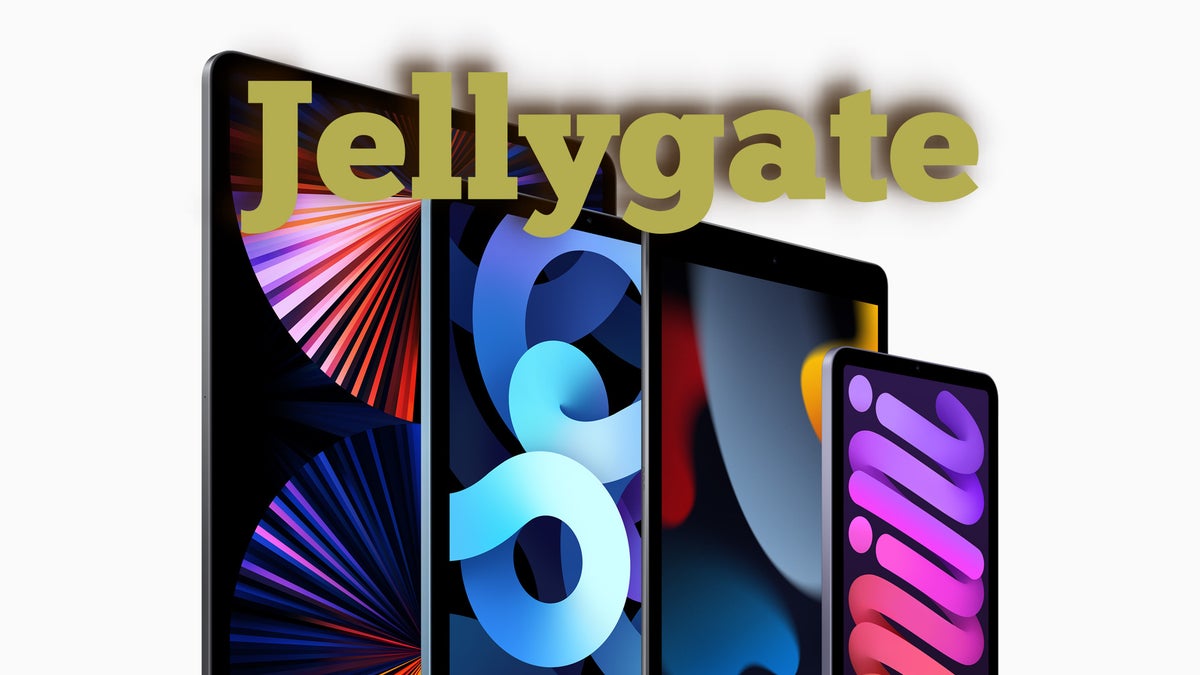
This was a puzzling one. Bear with me.
In case you aren't familiar, we (and a number of other tech sources) have come across an issue with the iPad Mini's display: You scroll (no matter how fast or slow), and you notice how one side of the text or image is constantly behind and trying to catch up to the other. To put it simply - it looks like the text or image on the screen is making waves as if it was a 90s cartoon ocean depiction.
For the test, we have the iPad Mini (2021), iPad (2021), iPad Pro (2018), iPhone 8, and Huawei P30 Pro - all but the iPad Pro have 60Hz displays, and only the P30 Pro has an OLED screen compared to LCD on the rest of the devices.
iPad Mini (2021) with a 60Hz LCD display and 1488 x 2266 resolution

Let's start with the mini elephant in the room - the iPad Mini (2021). Yes - the wobbly/jelly effect is there. It's very much there! From my observation, it happens mainly and perhaps only when holding the iPad vertically and scrolling in that direction.
When you start scrolling faster, the effect is even more jarring if you pay attention. The thing is - if you're scrolling fast in order to get to where you want to be on the page, chances are you won't be paying too much attention to how the iPad scrolls. Take that for what it's worth.
iPad (2021) with a 60Hz LCD display and 2160 x 1620 resolution

Then we've got the iPad (9th Gen) which has the same type of screen as the iPad Mini. Surely, the effect must be similar.
iPad Pro (2018) with a 120Hz LCD display and 2388 x 1668 resolution

Now, this is an interesting one. The iPad Pro also boasts an IPS LCD screen. However, it comes with Apple's ProMotion tech for a smooth 120Hz refresh rate versus 60Hz on all the rest of the devices in this test.
An important note here is that this 2018 iPad Pro is my personal device which I've been using for a while. Right out the gate, I have to say I hadn't noticed the "jelly scrolling" issue on my iPad Pro… until now.
Yes, the scroll wobble is present on Apple's Pro iPad too! Is it as bad as on the iPad Mini? No. Again, like with the iPad Mini, it happens, or at least it's mostly noticeable when scrolling in portrait orientation. Perhaps, the 120Hz tech helps to iron out the image/text waves, and that's why the effect isn’t as harsh as it is on the Mini iPad.
iPhone 8 with a 60Hz LCD display and 1334 x 750 resolution

Shocked. I was shocked to see that the jelly scrolling effect is also noticeable on the iPhone 8's LCD screen. I'd say it's mostly noticeable in slow-mo. If you think: "Martin, you're a tech writer. Aren't you supposed to know this?!", you'd have a point, so I'll take it.
You don't read articles, scroll through social media, etc., in landscape mode. In fact, many apps don't even support that. Also, the jelly effect is much less noticeable here because the small phone screen barely has enough vertical space when positioned in landscape mode - you run out of "testing real estate" pretty much immediately.
Huawei P30 Pro with a 60Hz OLED display and 1080 x 2340 resolution

Again, an interesting case study because jelly scrolling is usually believed to be present mainly on LCD screens. Well, not today. I've been using the Huawei P30 Pro for over two years, and yet I've never noticed any issues with scrolling on the phone.
iPad Mini and iPad Pro jelly scrolling problem: What's actually going on?

- Refresh-rate (higher is better)
- Screen tech (OLED should be a bit better, but not immune to the issue)
- Screen resolution (it's more taxing on the GPU, so it might make scrolling appear jerkier - that's mostly applicable to budget tablets/phones)
These are just variables that can affect but not cause "jelly scrolling". So, what's the reason for jelly scrolling? Thanks to the good folks from iFixit, we might not need to wonder any longer.
However, as discovered by iFixit's teardown, the latest iPad Air, for example, has its controller board positioned vertically - in the top half of the iPad. The same applies to Apple's standard iPad (9th Gen).
So, the verdict is that the problem with the iPad Pro and especially iPad Mini's scrolling is there because of the position of the controller board that powers the screen. It kicks in from the side, instead of from the top like on an iPad Air or iPad (9th Gen), which makes the "jelly" or "waves" that much more noticeable in portrait orientation.
Why is the effect so apparent on the iPad Mini compared to the iPad Pro? Well, because of the higher-refresh-rate refresh rate on the Pro, which catches up faster and looks much smoother - it basically manages to mask the jelly effect more successfully.
Why is the effect not apparent on your iPhone or Android phone? We already went through that, but in a nutshell - it's still more or less there when you hold your phone in landscape orientation, but no one really scrolls through their phone in landscape orientation, and that's why the problem isn't really an actual "problem" on smartphones.
Conclusion

In the end, it's safe to say that the iPad Mini's display exhibits much more jelly scrolling than any other tablet I've come across, and definitely much more than an iPhone.
I do agree that this issue isn't much of an "issue" for smartphones since 99% of the people won't do anything in landscape orientation other than watch videos or take photos - tasks that aren't affected by this problem.
On the other hand, both the vertical and horizontal orientations are convenient for scrolling on an iPad. However, I'd argue that the vertical/portrait orientation is preferred for most people, including me. Therefore, positioning the controller board in the top part of the iPad would be preferable. Most people will watch movies, type, and draw in landscape orientation, and these tasks should be less affected by jelly scrolling since they don't involve much scrolling in the first place.
So, to me, it seems like this was a poor design choice on Apple's side, which absolutely deserves the attention that it's getting. As mentioned, Apple already came out with a statement on the issue, which pretty much says that jelly scrolling is "normal LCD behavior". While our tests show that this is probably true, there is a way to make it less apparent, so we hope Apple will fix this for future versions of the iPad - all iPads.
If you’d like to check for jelly scrolling on your iPad or smartphone, head to this link for a scan-out-scewing / jelly scrolling effect test. Keep your eyes on the UFO. I promise, when you open the link, it’ll make more sense. Don’t forget to try portrait and landscape orientation.

Follow us on Google News









Things that are NOT allowed:
To help keep our community safe and free from spam, we apply temporary limits to newly created accounts: